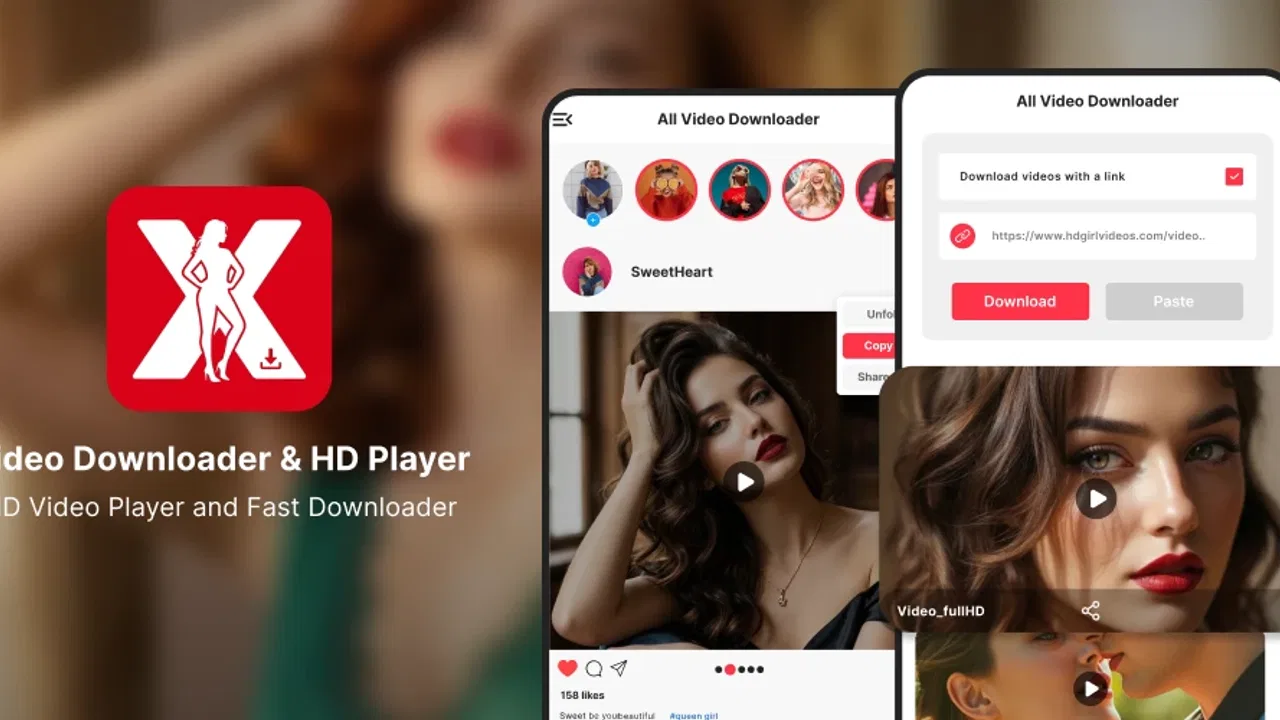
All Video Downloader HD Player
- 3.9
- Rating
- 1.00M
- Installs
- Free
- Price

 Analysis by App-foxy
I approached All Video Downloader HD Player as a practical video tool rather than as a full editing suite. Its purpose is straightforward: help me handle videos from social-media use cases while also providing a player for watching what I have obtained. That combination makes it more interesting than a downloader that simply saves a file and leaves the rest to another app, although the real value depends heavily on the quality of my internet connection and on whether the source video can be handled properly.
The app is free, aimed at everyone, and comes from Jason Johnson Tech. It sits in the video players and editors category, but I would describe its personality more accurately as a download-and-watch utility than as a serious editor. The store shows a 3.9 average from around 4.3 thousand ratings, with more than a million installs. Those figures suggest that the idea is easy for many people to understand, but they also leave room for a mixed experience depending on device, connection, and the particular social-media video being used.
How the connection shapes the whole experience
The first thing I noticed is that this is not an app I would judge separately from the network around it. Finding a video, requesting a higher-quality copy, and getting the file onto the phone all depend on communication with the source and on a stable connection. The promise of HD and 4K is appealing, but high resolution is also where a weak signal becomes most noticeable. A short clip may be manageable, while a longer high-quality video can turn a quick task into something that needs patience.
You May Also Like

 Blood Strike: 2.5 Anniversary
Blood Strike’s Loadouts Turn Every Drop Into a Tactical Gamble
A close look at Blood Strike’s custom loadouts: how fast access to signature weapons reshapes its battle royale rhythm, rewards preparation, and narrows the gap between fights.

 Pandora - Music & Podcasts
Pandora’s Music Is Easy to Start, but Harder to Recover
Pandora’s strength is its low-effort path from a seed to a station. Its weak spot is how much confidence it asks you to place in connection, setup, and quiet recovery.

 8 Ball Pool
 Is Built on Rivalries, Rematches, and Routine
A close look at the rivalries, rematches, shared routines, and unanswered safety questions that turn a quick pool match into a persistent mobile community.

 Samsung Music
’s Quiet Strength Is Playing What You Already Own
Its reach comes less from spectacle than from dependable access to a personal library. That simplicity is both the app’s strongest retention engine and its ceiling.

 AccuWeather: Weather Radar
AccuWeather Review: A Quick, Clear Forecast for Everyday Decisions
For everyday plans, the best forecast is the one you can understand quickly. AccuWeather makes rain timing, radar, and local conditions easy to act on, with a few trade-offs.

 Hill Climb Racing
Why Hill Climb Racing Still Turns Crashes Into One More Run
A tiny car, a bumpy hill and one more upgrade: Hill Climb Racing keeps resurfacing because its simple chaos makes every near-miss feel personal.
More From Our News Desk



That makes the app best suited to moments when I have a reliable Wi-Fi connection or a strong mobile signal. I would not begin an important download while moving between coverage areas, riding through a tunnel, or relying on an unstable public hotspot. If the connection drops at the wrong moment, the inconvenience is not just waiting; I may need to check whether the task completed, whether the file is usable, or whether I have to start again.
I also think the player portion matters most after the network-dependent part is over. Having a viewing tool in the same app can reduce the need to switch between a browser, a file manager, and a separate video player. That sounds minor, but it is useful when I am checking several clips and want to confirm that the result is the right one before sharing or organizing it.
What HD and 4K mean in everyday use
Quality choices are not automatically improvements in every situation. A 4K copy can be worthwhile when I am preserving detail for a large display, checking text inside a demonstration, or keeping a source clip for later use. On a phone screen, however, the visual difference may be less important than the extra transfer time and storage space. For casual viewing, a lower quality can be the more sensible decision if it gets the video ready sooner.
My practical rule would be to select the highest quality only when I have a clear reason for it. If I am watching a recipe while cooking, checking a short tutorial, or sending a clip to someone who will view it on a phone, maximum resolution may add little. If I am reviewing footage where small details matter, the larger version has a stronger case. This is one of the app's less obvious trade-offs: the headline capability is useful, but choosing it by habit can make the experience slower and more demanding.
There is another network issue that is easy to overlook. A social-media page can load successfully while the actual video request behaves differently. The page, preview, or thumbnail may appear quickly, yet the full media transfer can still stall. I would therefore treat a visible preview as a sign that the source is reachable, not as a guarantee that the final download will be smooth.
A realistic mobile scenario
Imagine I am preparing for a train journey and want to keep a few educational clips available for the trip. I would first use a dependable connection at home, choose quality according to the phone's screen and available storage, and then play each result inside the app before leaving. That last check is important. It catches an incomplete transfer while I still have time to repeat it, rather than discovering the problem after the connection has become unreliable.
For that scenario, the app's combined downloader and player design is convenient. I do not need to remember which external player handled the file or search through several folders immediately after each transfer. At the same time, I would not assume that the app removes every connectivity concern. The preparation stage still depends on the source being reachable, and the safest workflow is to verify everything before the journey rather than treating the app as a guarantee of uninterrupted access.
For travelers, commuters, and students, this distinction matters. The useful habit is not simply “download now and forget it.” It is “download, inspect, and organize while the connection is good.” That workflow makes the app more dependable without claiming capabilities that are not established by its description.
Using it on a phone without wasting time or data
On a mobile device, convenience is usually measured in taps, waiting time, and how much attention a task demands. A downloader can become frustrating when I have to repeat the same action because the source page changed, the connection paused, or the chosen quality was too ambitious. I found that the best way to use this kind of tool is to keep each task deliberate: identify the exact video, choose a sensible quality, begin the transfer when the signal is stable, and check the result afterward.
The app's free price makes it easy to try without committing money, which is helpful for occasional users. I would still avoid treating “free” as meaning costless in every practical sense. High-resolution video can consume mobile data and storage, and a failed attempt may use some of that allowance without giving me a useful result. Anyone with a limited data plan should make Wi-Fi the default for larger files and reserve cellular data for short, necessary clips.
A simple data-conscious routine is to separate urgent viewing from archival quality. For a quick reference, I would choose a reasonable resolution and avoid downloading several versions of the same clip. For material I expect to inspect closely later, I would consider the higher-quality option, but only after checking how much space is available. This approach is more useful than automatically selecting the highest setting every time.
Keeping the phone manageable
Downloaded videos can become difficult to find surprisingly quickly. Even when an app makes playback convenient, I still need a personal system. I would review each file after downloading, remove duplicates, and avoid collecting clips that I no longer need. A short viewing session can quietly turn into a large pile of media if I never clean up.
One practical tip is to use the player as a verification step, not merely as a way to watch. I would check the beginning, jump through the middle, and confirm that the ending is present. This is especially worthwhile for longer or high-resolution transfers, where a file can look fine at first glance but still deserve a quick inspection before I rely on it.
I would also keep expectations realistic about editing. The category includes video players and editors, but the confirmed description centers on downloading and playback. I would not choose this app expecting a timeline, transitions, captions, trimming controls, or advanced export tools. If my goal is to create a polished social post, a dedicated editor is the better companion. This app makes more sense earlier in the workflow, when I am obtaining or checking source material.
Who benefits most from the mobile format
I can see the strongest fit for people who regularly move between social-media viewing and local video checking. A student collecting reference clips, a traveler preparing material before a trip, or a user who wants a straightforward way to inspect saved videos may appreciate the focused purpose. The player reduces app switching, while the download function gives the workflow a clear starting point.
It is less suitable for someone who wants one application to manage every part of video production. A creator who needs detailed editing, audio work, subtitles, color correction, or a carefully controlled export process should look elsewhere. It is also not my first choice for someone who only watches occasional online videos and already feels comfortable with the normal app or browser experience. In that case, adding a downloader may create more decisions than it solves.
The Everyone age rating makes the app broadly approachable, but that does not remove the need for sensible judgment about the videos being handled. I would use it with the same care I apply to any tool that interacts with online media: check the source, think about rights and personal use, and avoid assuming that the ability to access a video automatically grants permission to redistribute it.
When a transfer fails and how I would recover
Failure is where a downloader proves whether it is genuinely useful. The most common trouble spots in this type of workflow are an unstable connection, a source that no longer responds as expected, or a quality choice that makes the transfer unnecessarily demanding. I would begin recovery by checking the simple things: confirm that the connection is active, return to the source, and try the task again with a more modest quality if the original attempt was ambitious.
I would not repeatedly tap the download action without checking what happened first. That can create uncertainty about whether several copies are being created or whether the first task is still active. A calmer approach is to wait briefly, inspect the available result, and then retry only when I know the previous attempt did not finish successfully.
If a video plays only partially, I would treat that as a verification failure rather than assuming the player is at fault immediately. Repeating the transfer on a stronger connection can distinguish a temporary network problem from an issue related to the source. If the same video repeatedly behaves badly while other clips work, the source itself may be the limiting factor. That is a useful distinction because changing apps will not necessarily fix a source that is unavailable or restricted.
Another recovery habit is to avoid testing several variables at once. I would keep the same source, improve the connection first, and then change quality only if necessary. If I change the source, quality, and network simultaneously, I learn very little from the result. This small troubleshooting method saves time and gives me a clearer idea of whether the app is suitable for that particular video.
How it compares with usual alternatives
The usual alternative is simply watching through the social-media app or a browser. That route is often better when I want immediate access and do not need to manage a separate copy. It can be less convenient when I want to inspect downloaded material in one place, especially if I am preparing several clips for later review.
A file manager paired with the phone's built-in player offers more control over folders and general file handling. For users who already have a tidy storage system, that combination may be enough. The appeal here is reduced switching: the downloader and player are presented as one focused experience. The trade-off is that a dedicated file manager may be better for broader organization, while a specialized editor will be better for transforming the video.
Browser-based downloader services are another common comparison point, but I prefer to keep the workflow on the device when possible. A separate web service can introduce extra steps and may feel less direct on a small screen. Still, I would not claim that this app will work with every source or always outperform every alternative. Its advantage is simplicity for compatible tasks, not universal access to online video.
That distinction is important for expectations. I would choose this app when the job is “obtain a video and check it,” not when the job is “build a complete media library,” “edit a finished project,” or “solve every possible source compatibility problem.” Clear purpose makes the experience much more satisfying.
My overall connectivity verdict
After looking at the app through real mobile situations, I see it as a focused, free utility with a sensible pairing of downloading and playback. The developer, Jason Johnson Tech, has positioned it around a task many phone users understand immediately, and the large install base shows that the concept has broad appeal. Its current version is listed as 2026-04-22 17:38, with support beginning at Android 8.1, so users on older supported phones have a reasonable chance of trying it without needing a recent device.
The experience is strongest when I prepare carefully: use a stable connection, choose quality based on purpose instead of habit, watch the result briefly to verify it, and clean up files I no longer need. Those steps are not glamorous, but they make a noticeable difference. They also reveal the central truth about the app: it can streamline a video workflow, but it cannot make a weak network behave like a strong one.
I would recommend it to someone who wants a straightforward way to handle compatible social-media videos and play them without constantly changing applications. I would skip it if my priority is advanced editing, extensive library management, or a guarantee that every online source will transfer smoothly. For occasional users, the free price lowers the barrier to testing it; for regular users, the decision should come down to whether the combined downloader-player workflow genuinely saves time.
My final view is positive but measured. The best reason to use this app is the simple handoff from obtaining a video to checking it, especially when I am on a dependable connection and have a clear reason for saving the clip. Its weaknesses appear when I expect more than that focused job or ignore the cost of high-resolution transfers on mobile data. Used with sensible quality choices and a quick verification routine, it is a practical addition to a phone rather than a replacement for every other video tool.
FAQs for All Video Downloader HD Player
01What formats does All Video Downloader HD Player support?
All Video Downloader HD Player supports a wide range of video formats, including MP4, AVI, MKV, FLV, and more. This versatility ensures that users can download and play almost any video format directly within the app, providing a seamless viewing experience without needing additional converters.
02Is it safe to download videos using All Video Downloader HD Player?
Yes, All Video Downloader HD Player is designed with user safety in mind. It uses secure protocols to download videos and does not require unnecessary permissions. However, users should ensure they respect copyright laws and download videos only from legitimate sources.
03Does All Video Downloader HD Player allow batch downloads?
Yes, the app includes a batch download feature, enabling users to download multiple videos simultaneously. This is particularly useful for users who want to save time by queuing several videos for download at once, ensuring efficient management of download tasks.
04Can I use All Video Downloader HD Player offline?
Absolutely, once videos are downloaded, they can be accessed and played offline using the integrated HD player. This feature is ideal for users who want to enjoy their favorite content without an internet connection, providing flexibility and convenience.
05What are the main pros and cons of using All Video Downloader HD Player?
The app offers high-speed downloads, support for various formats, and an integrated HD player as major pros. However, some users might find occasional ads intrusive, and there may be restrictions on downloading from certain websites due to platform policies or copyright restrictions.
Pros
- Supports multiple video formats and resolutions.
- Fast download speeds with no lag.
- User-friendly interface for easy navigation.
- Allows background downloads for multitasking.
- Built-in media player with playlist support.
Cons
- Contains ads that can be intrusive.
- Limited features in the free version.
- Requires in-app purchases for full access.
- Occasional crashes on older devices.
- No support for all streaming platforms.

All Video Downloader HD Player
Gallery